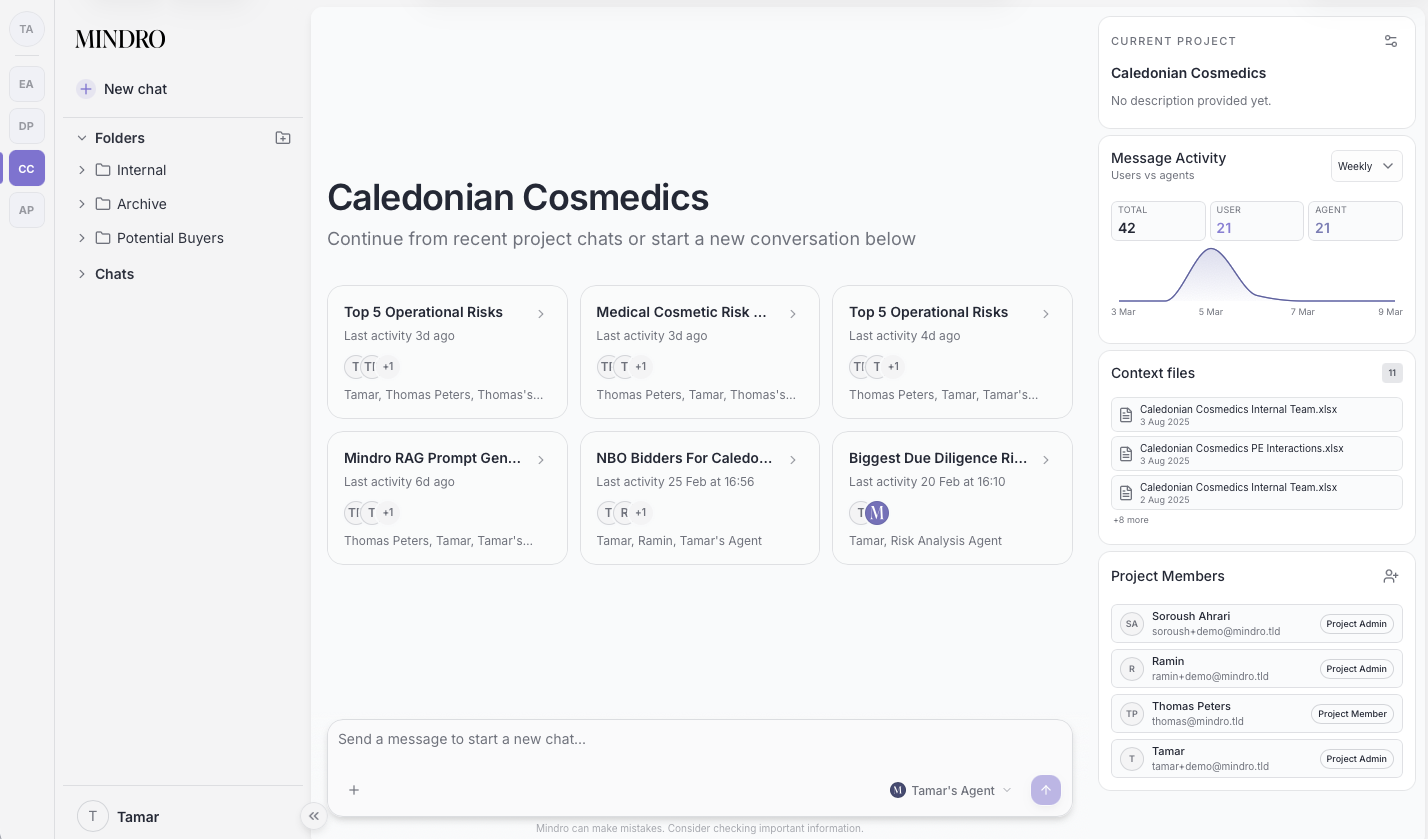
Introducing Project Spaces, a shared environment where multiple team members and AI agents can work together on client engagements.
Previously, Mindro conversations were single-user experiences. With Project Spaces, you can now:
- Add multiple team members to a project environment
- Share access to all conversations, knowledge domains, and AI agents within that project
- Review the complete history of interactions - both human and AI-generated
- Work asynchronously or simultaneously on the same workstreams
Easy to use
Setup: Create a project and invite team members. Access permissions are granted at the project level.
Shared context: All participants see the same knowledge domains, uploaded documents, and conversation history. When an AI agent performs research or analysis, that output is available to everyone in the project.
Conversation threading: Multiple conversations can run in parallel within a project. A senior advisor might be working with an agent on valuation while an analyst uses another agent for market research- all within the same project context.
Audit trail: Every interaction is logged. You can trace back through conversations to see how a particular insight was generated, what sources were used, or what instructions were given to an agent.
Get to better results, quicker
We built Project Spaces around two core collaboration patterns we observed in advisory work:
Divergent work requires space for exploration—multiple team members researching different angles, testing hypotheses, or generating options. Project Spaces support parallel workflows without information silos.
Convergent work requires synthesis—reviewing findings, aligning on conclusions, and building deliverables. Shared conversation access means team members can review each other's AI-assisted research and build on it directly.
Security and compliance first
Project Spaces maintain the same security and knowledge isolation you expect from Mindro:
- Knowledge domains attached to a project are accessible only to project members
- Conversations remain within project boundaries
- Role-based permissions control who can add members or modify project settings
Use cases
The feature is designed for project based advisory work, particularly in M&A and corporate finance contexts:
- Deal teams can coordinate research, valuation, and buyer identification across multiple team members
- Due diligence workflows benefit from parallel workstreams with shared findings
- Pitch preparation allows team members to collaboratively build supporting materials while maintaining consistency